 Sanchay
Everything you copy, kept.
Sanchay (संचय): gathering things, kept for later.
A clipboard history for Windows. Press Ctrl+Alt+V, or Win+V if you choose it, to find, edit and paste anything you copied.
Coming soon to the Microsoft Store
$0.99 after a 7-day free trial
Win+V, your way
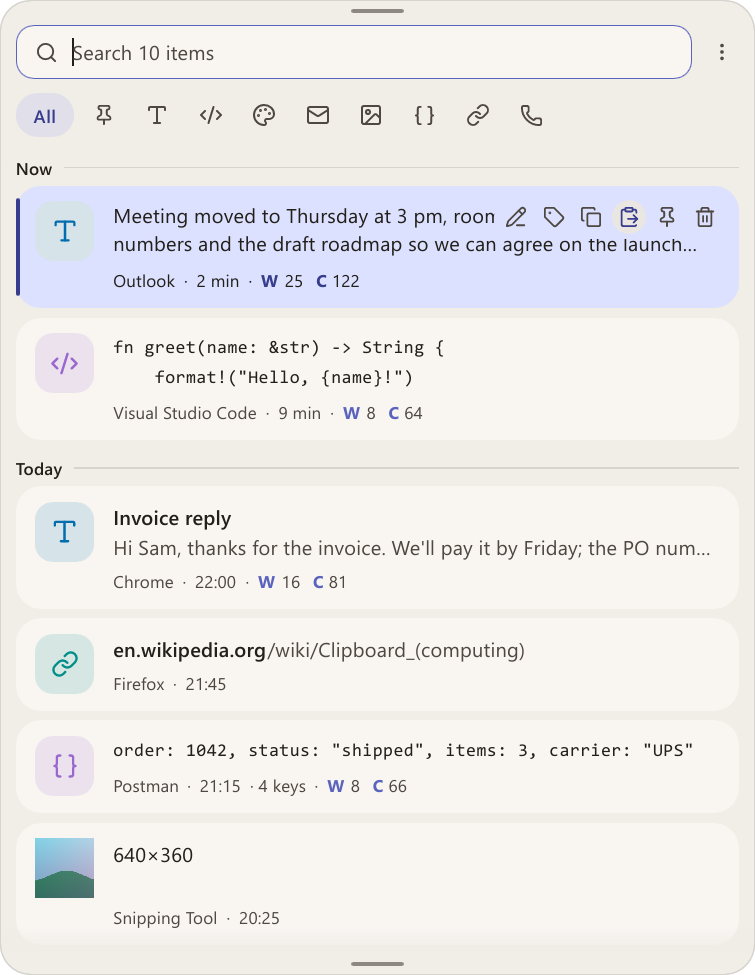
One panel with everything you copied: open it with Ctrl+Alt+V or Win+V, search it, filter it by kind, paste it.
A card when you copy
A small card shows what you just copied, and you can edit it right there.
Edit before you paste
Fix a copy in place; it's saved as you type, with undo.
No duplicates
Copy the same text twice and the item you already have moves to the top.
Nine themes
Paper, Butter, Sage, Sky, Lilac, Rose, Stone, High contrast and Classic, in light and dark.
Private by design
Your history stays on your PC. Sanchay sends nothing anywhere.
Already have Win+V?
Windows' own clipboard history is free and built in. Here's how it compares with Sanchay.
| Windows' clipboard history | Sanchay | |
|---|---|---|
| Opens with | Win+V | Ctrl+Alt+V, or Win+V if you choose it |
| Keeps | The last 25 items, plus pinned ones | Items for 7, 30 or 90 days, or forever; pinned items always |
| After a restart | Pinned items only | Still there |
| Kinds | Text, HTML and bitmap pictures, up to 4 MB each | Text, code, links, colours, images, files and more |
| Across PCs | Can sync, with a Microsoft or work account | Stays on this PC: no account, no sync |
| Price | Built into Windows | $0.99 after a 7-day free trial |
Also in Sanchay: search, filters by kind, a card when you copy, editing in place with undo, paste as plain text, names for pinned items, and backup to one file.
Windows' side: from Microsoft's clipboard help.
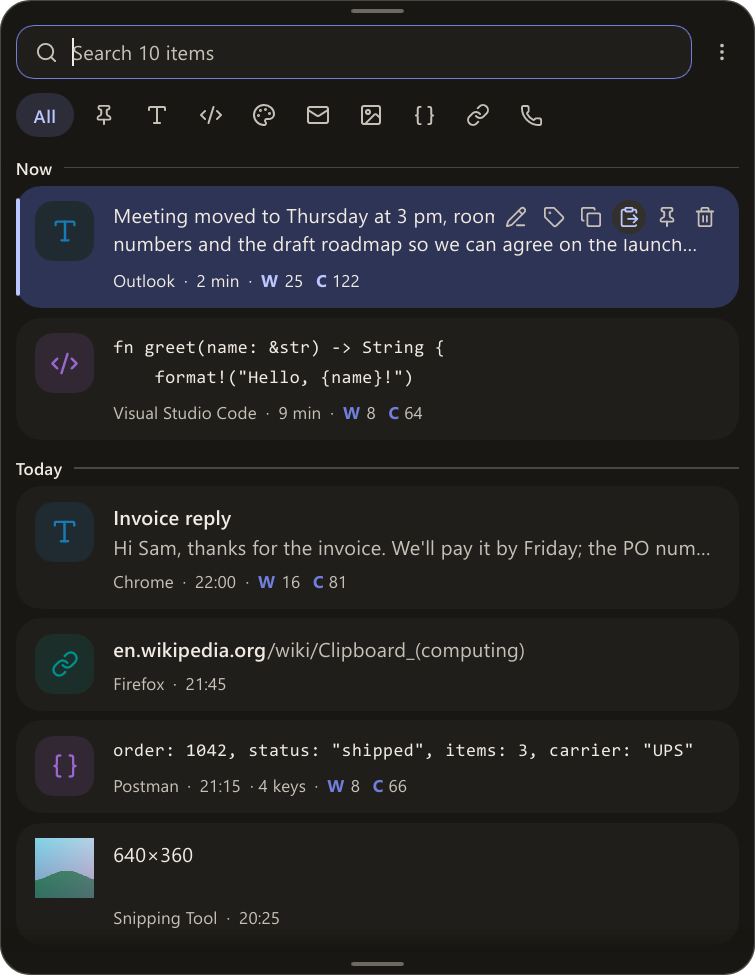
Nine themes, light and dark
- Paper
- Butter
- Sage
- Sky
- Lilac
- Rose
- Stone
- High contrast
- Classic
Windows
From the Microsoft Store, for Windows 10 (version 2004 or later) and Windows 11, on x64 PCs. Updates come through the Store.
macOS
Coming to macOS.
$0.99, once
Try it free for 7 days on the Microsoft Store. The source is free too, under the GPL-3.0.
Questions
Is there a free trial?
Yes: 7 days, from the Microsoft Store. After that, Sanchay is $0.99, once. When the trial ends, new copies aren't saved until you buy, and your history stays usable.
Where is my history kept?
Only on your PC. Sanchay has no account and sends nothing anywhere. The privacy policy has the details.
Does it keep my passwords?
Not when your password manager marks them as secret, as most do: Sanchay never reads those. A password copied from a plain text file carries no such mark, so it's kept like any other text.
Does it sync between my PCs?
No. Your history stays on the PC where you copied it. You can back it up to one file, and restore it on another PC.
Can it replace Win+V?
Yes, if you choose. Sanchay opens with Ctrl+Alt+V, and you can give it Win+V in Settings → Keyboard shortcuts.
Which versions of Windows does it run on?
Windows 10 (version 2004 or later) and Windows 11, on x64 PCs.
How do I remove everything?
Uninstall Sanchay from Windows Settings → Apps. The Microsoft Store version's data goes with it. If you
built Sanchay from its source, also delete %LOCALAPPDATA%\Sanchay\.
Is the source code available?
Yes. Sanchay is free software under the GPL-3.0, and the source of every release is on the source page.
Is there a Mac version?
A Mac version is planned. There's no date yet.